September 6-7, 2025
EXERCISE, EXERCISE
There's a new form, possibly the first of many! Using it is a multi-step prcess.
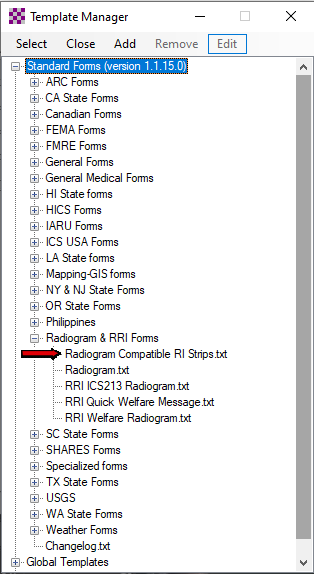
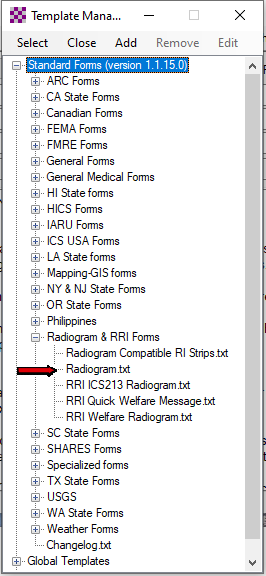
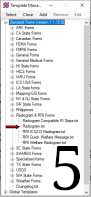
Start a new message and in Select Templates, select Standard Forms > Radiogram & RRI Forms >
Radiogram Compatible RI Strips. (Image 1) Click the images to see them full size.
This first form gets you started with a format strip, Weather Observation Report (WXOBS) Rev.1,
and icludes instructions on how to proceed.
Copy the format strip (WXOBS/ through //) to your clipboard.
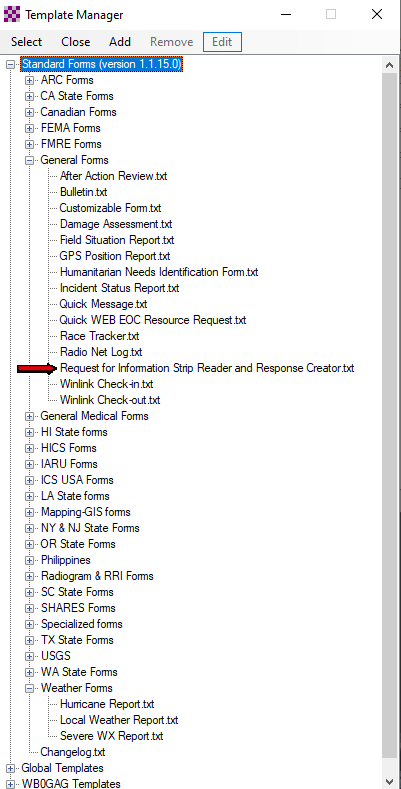
Select Standard Templates > General Forms > Request for Information Strip Reader
and Response Creator. (Image 2)
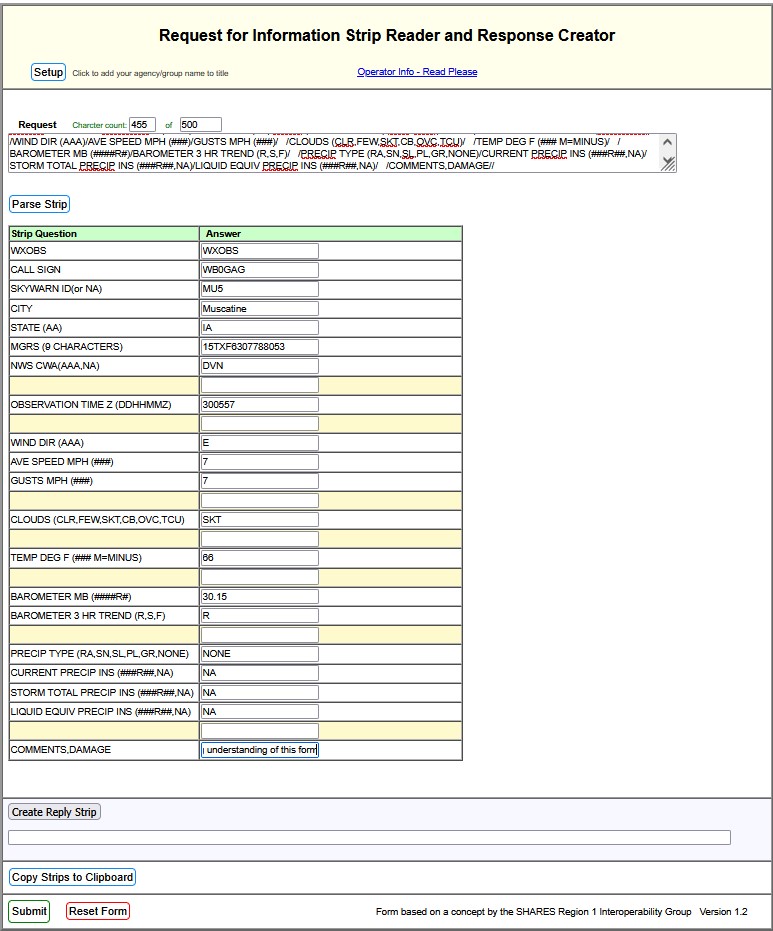
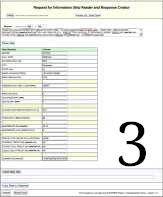
Paste the format strip you copied into the request box, then click Parse Strip. Image 3)
Fill in the named fields with your information in the answer column, making sure to
leave WXOBS unchanged.
You may be able to open a Winlink Check-in form and copy the MGRS number from that.
The Iowa/Illinois Quad City NWS CWA is DVN.
This presentation has more detail.
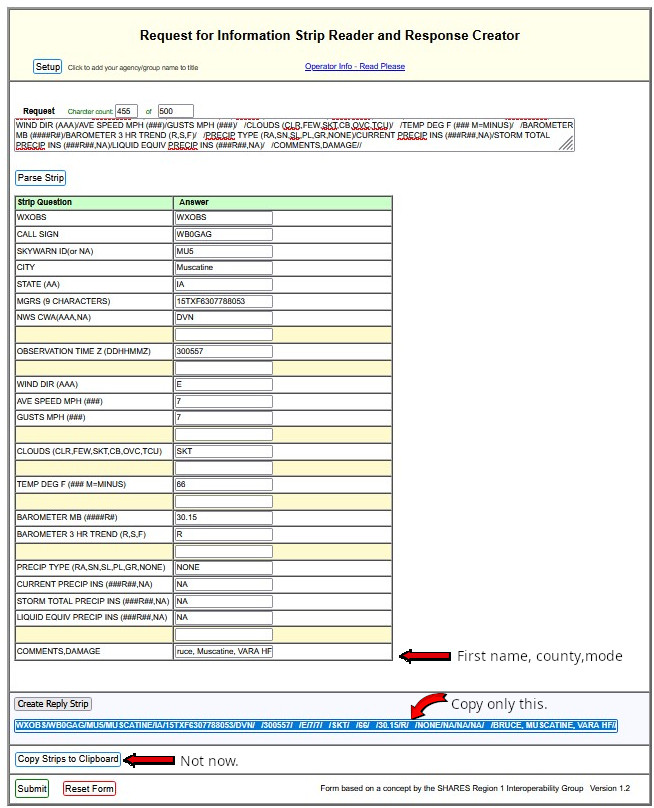
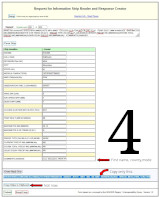
Click Create Reply Strip, then highlight and copy the reply strip that was generated to
your clipboard. (Image 4)
Do not click Copy Strips to Clipboard, as both strips WOULD be copied.
We only need the reply strip.
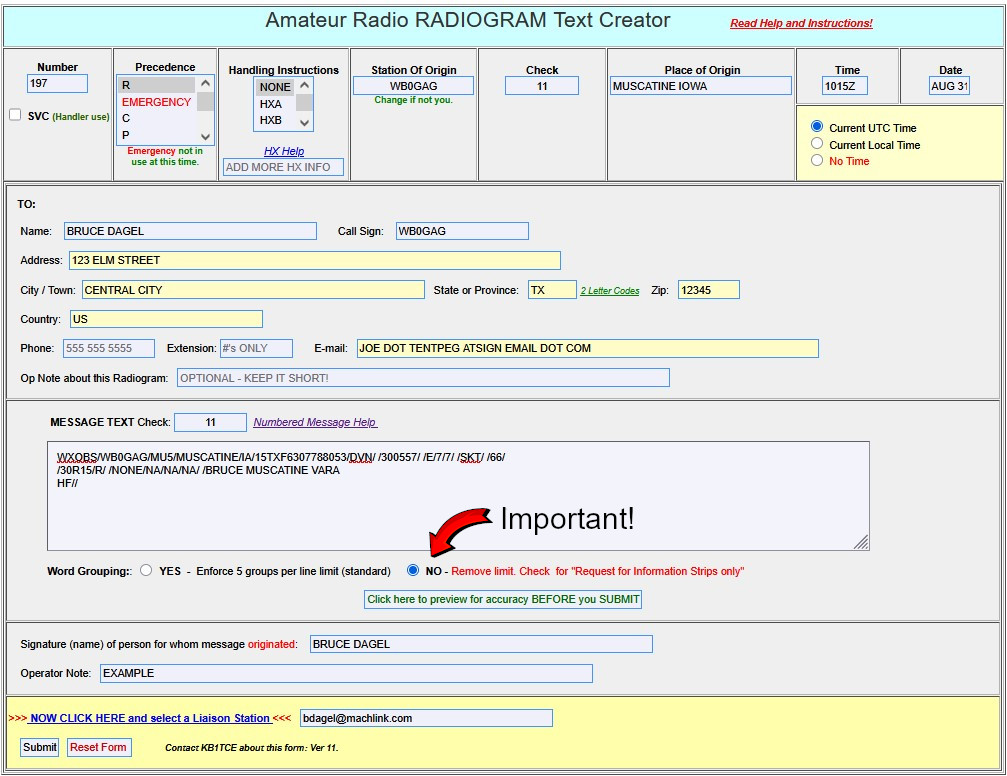
Select Standard Templates > Radiogram & RRI Forms > Radiogram. (Image 5)
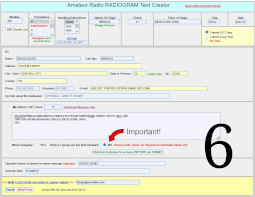
Fill out as usual and paste the strip you just copied in the MESSAGE TEXT box.
Click "NO" Remove limit.(Image 6)
In Comments/Damage:, enter your
first name,county,mode
(Winlink HF, VARA FM, VHF packet, etc.)
2 letter state abbreviation and no parentheses, please.
Example: Bruce, Muscatine, VARA HF
Save a copy for later if you wish, review your message, then click Submit and set "Subject:" to "Iowa Winlink Weekend".